> For the complete documentation index, see [llms.txt](https://docs.gradient.works/kb/llms.txt). Markdown versions of documentation pages are available by appending `.md` to page URLs; this page is available as [Markdown](https://docs.gradient.works/kb/mcp/setup_chatgpt.md).
# Setup: ChatGPT or Codex
Connect Gradient Works to ChatGPT Web or Codex Desktop
## ChatGPT Web
{% hint style="info" %}
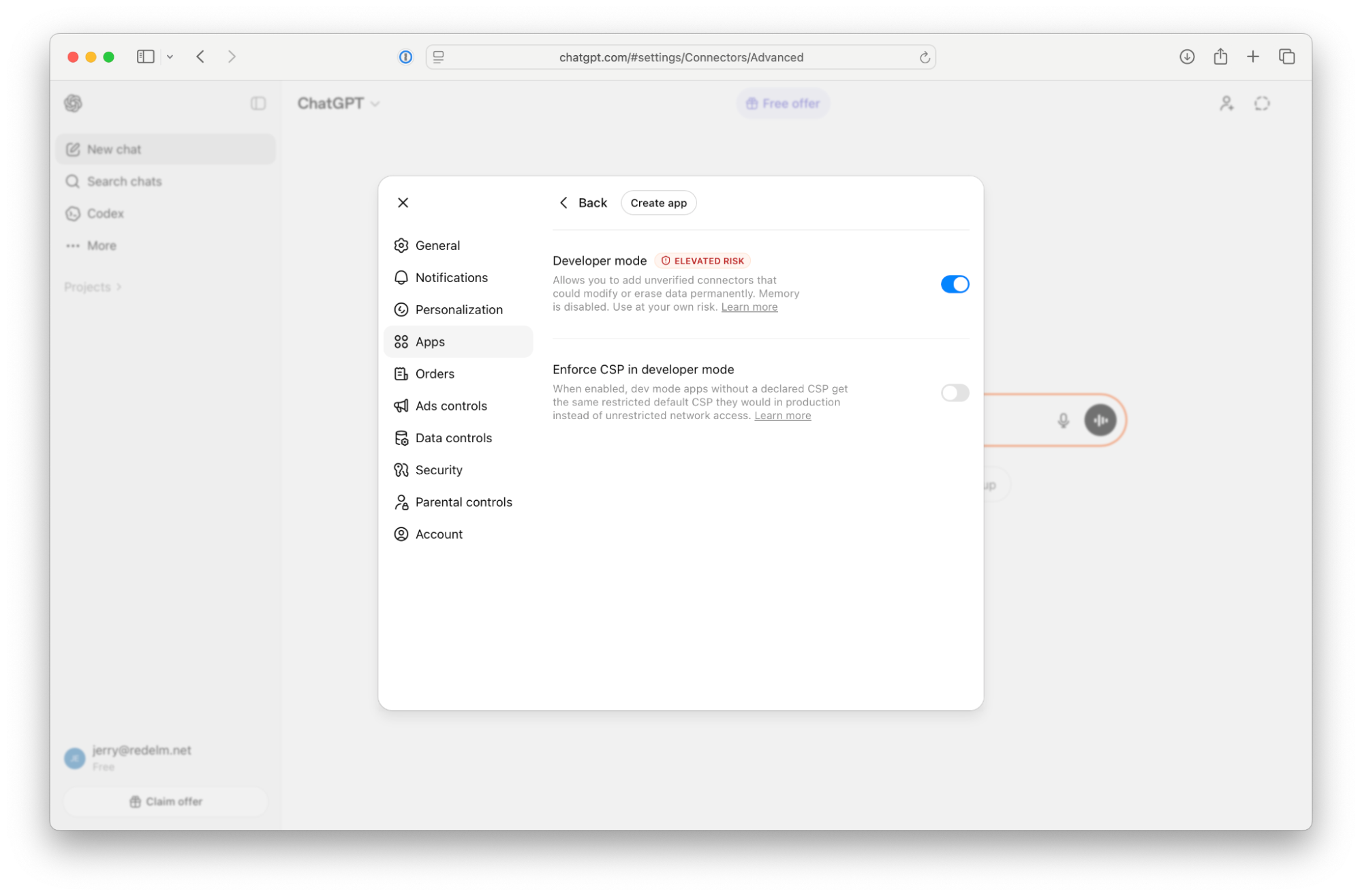
ChatGPT requires Developer Mode to add custom MCP servers.
{% endhint %}
1. Go to **Settings > Apps > Advanced Settings**.
2. Enable **Developer Mode**.
3. Click **Create app**.
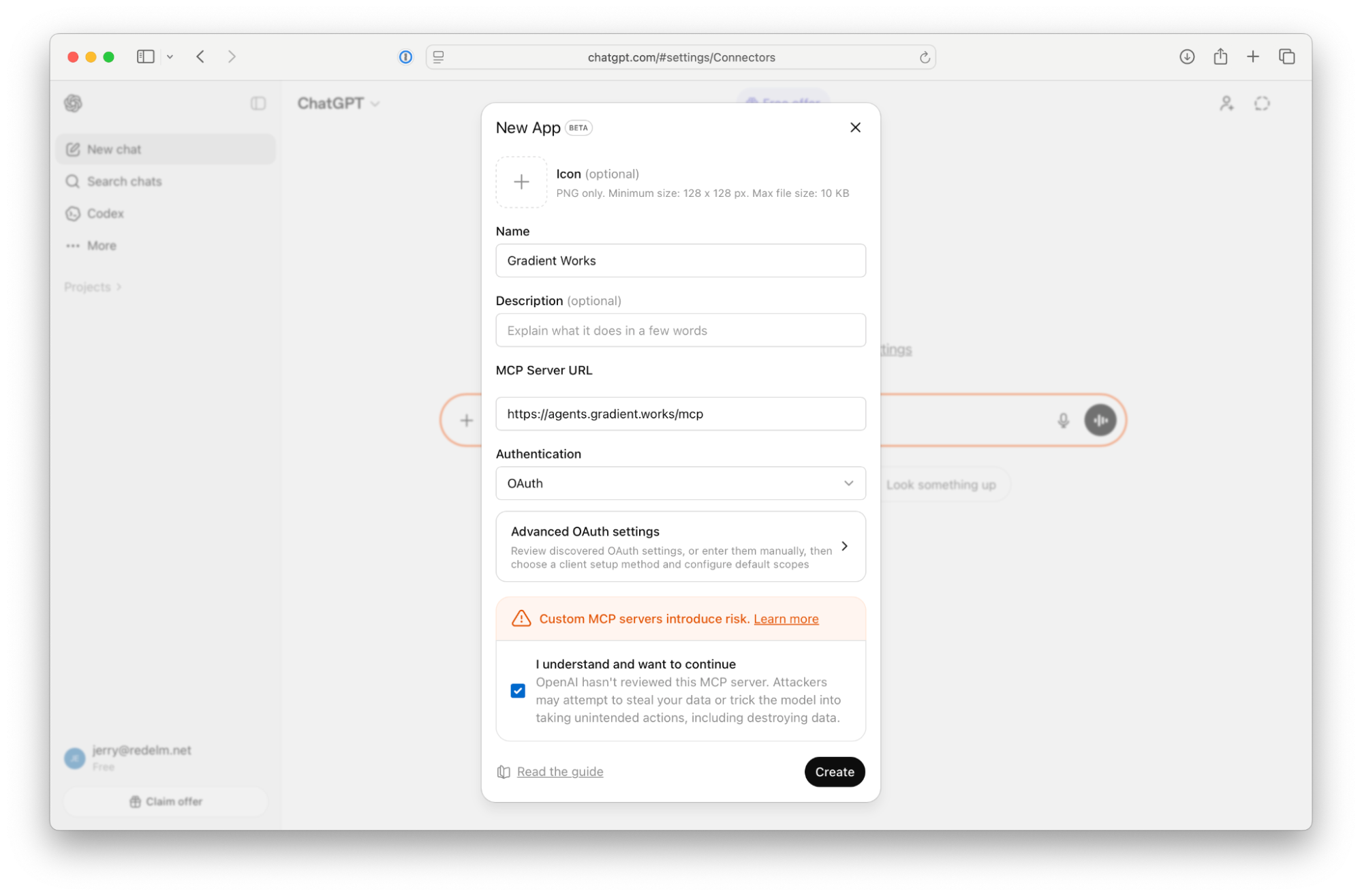
4. Fill in the app details:
* **Name:** Gradient Works
* **MCP Server URL:** `https://agents.gradient.works/mcp`
5. Acknowledge the developer mode warning and continue.
6. Sign into Gradient Works with your Gradient Works credentials.
***
## Codex Desktop
### Set up with the Gradient Works plugin
The Gradient Works plugin configures the MCP and installs the included Gradient Works skills.
#### Ask your agent to set it up
Paste the following text into your agent:
```
Can you help me set up Gradient Works by following this guide?
https://github.com/Gradient-Works/agent-plugins/blob/main/GETTING_STARTED.md
```
#### Install it yourself
From the Codex CLI, run:
```shell
codex plugin marketplace add Gradient-Works/agent-plugins
codex plugin add gradient-works@gradient-works-plugins
codex mcp login gradient-works
```
The login command opens browser authentication. For installation through the Codex app, see the [agent-plugins README](https://github.com/Gradient-Works/agent-plugins/blob/main/README.md).
### Set up the MCP directly with an API key
{% hint style="info" %}
Codex Desktop without command-line access supports API Keys only.
{% endhint %}
#### Get a Gradient Works API Key
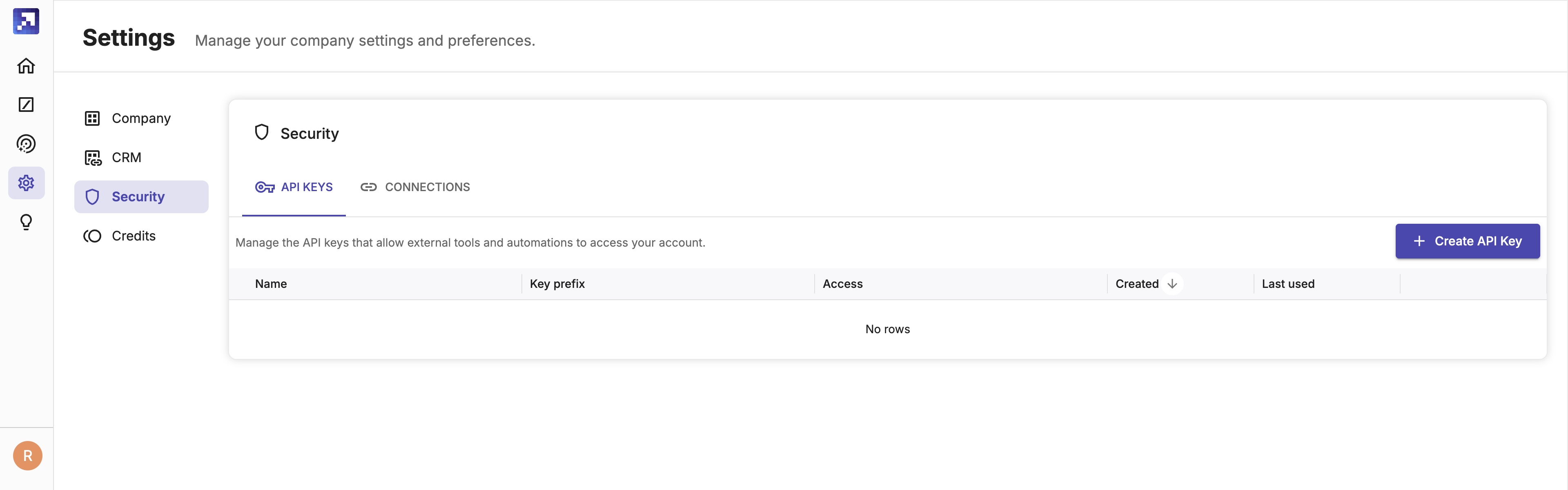
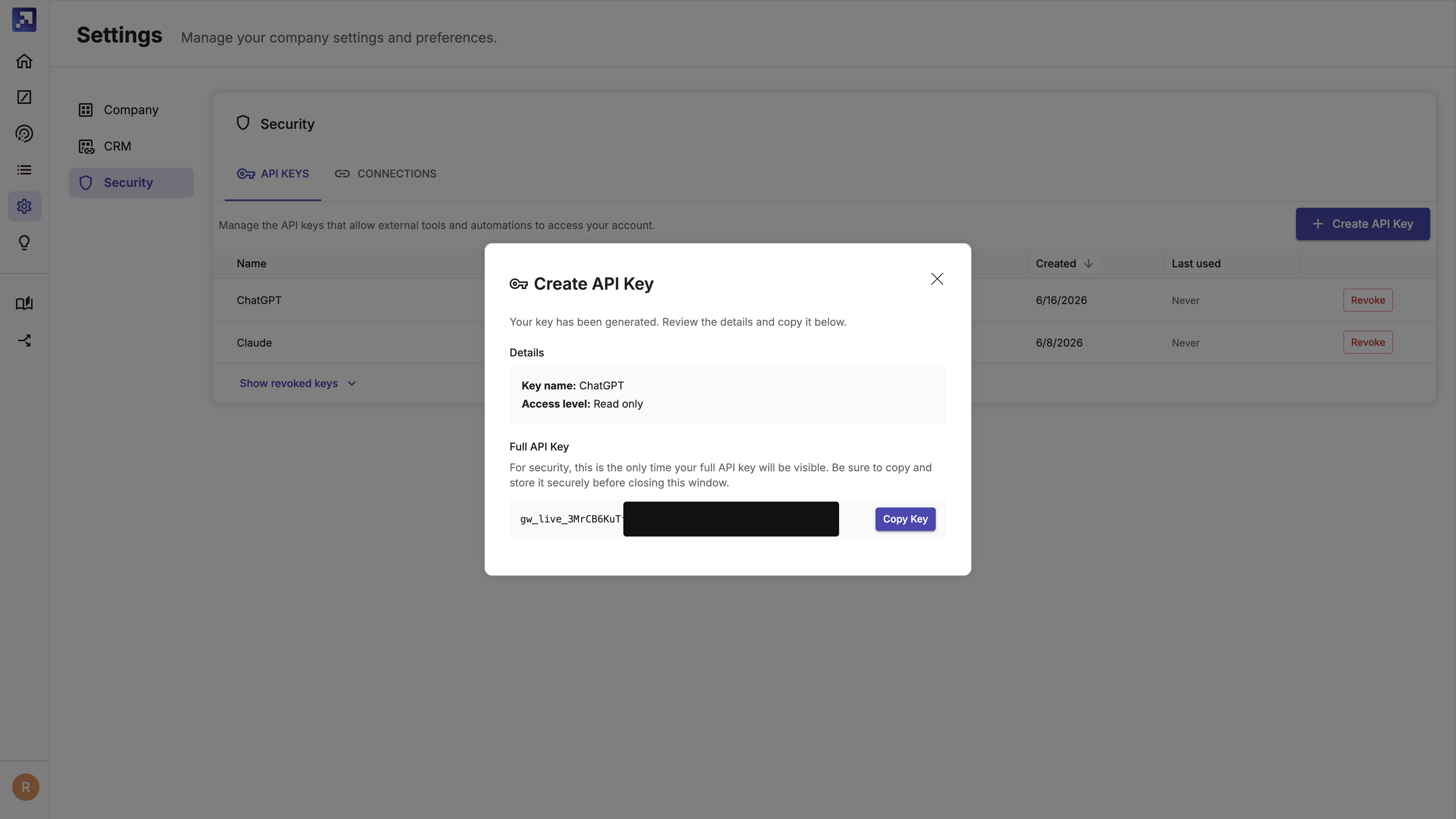
1. In Gradient Works, go to **Settings > Security > API Keys**.
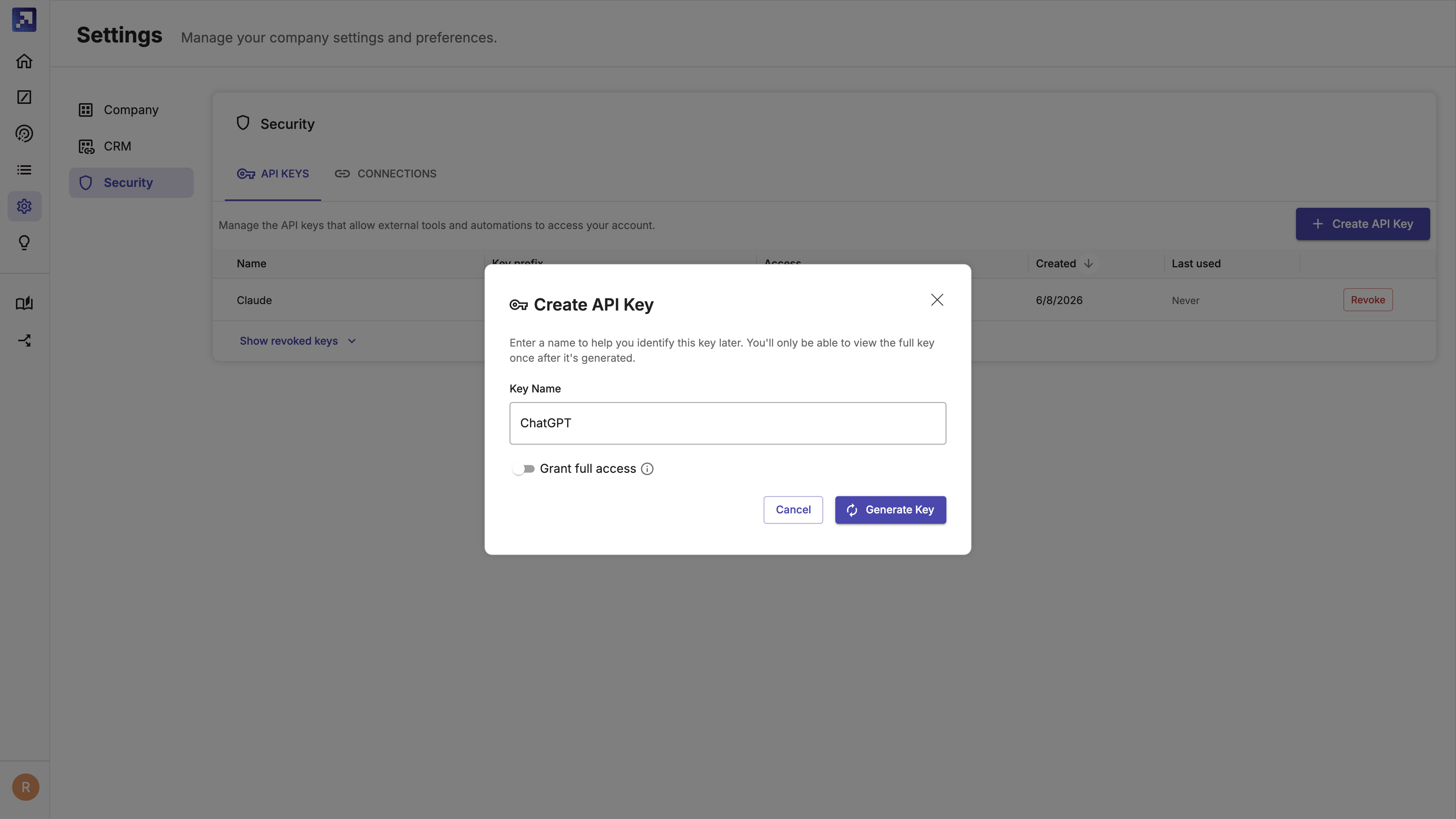
2. Click **Create API Key**, optionally give your key a name and set the access level, then click **Generate Key**.
3. Copy and store your API key securely — it will only be shown once.
#### Add the MCP server
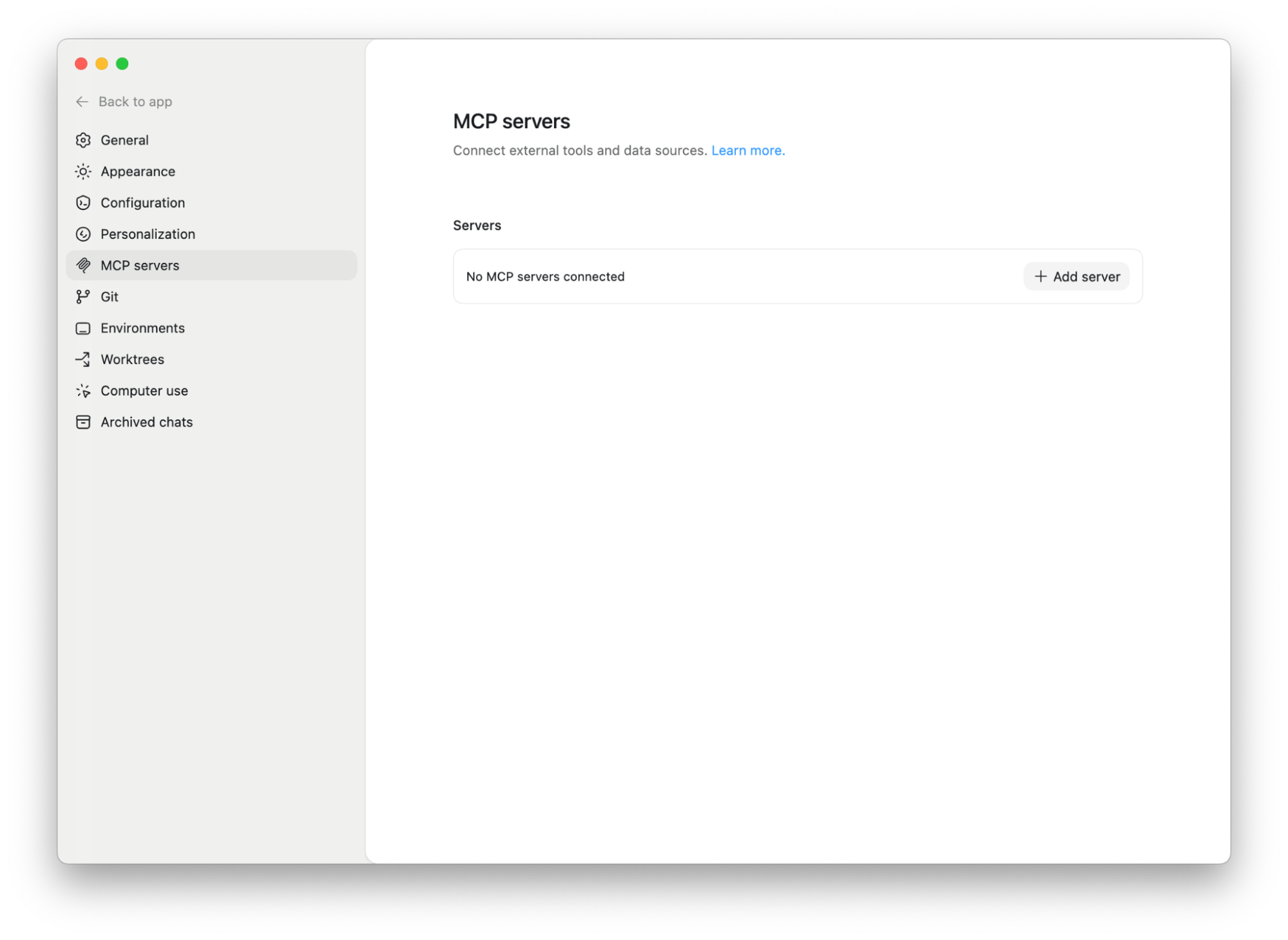
1. Go to **Settings > MCP servers**.
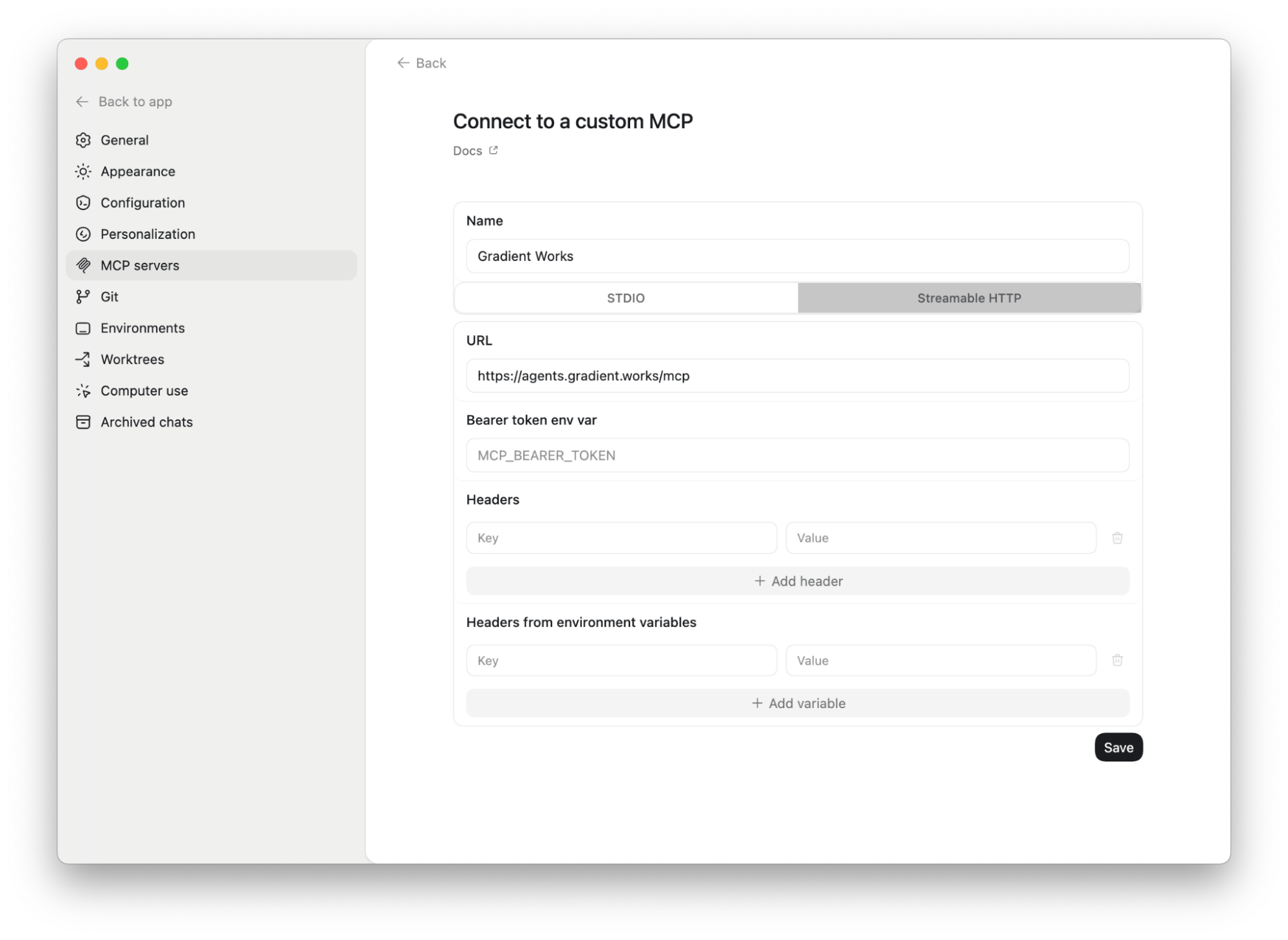
2. Add a new server with the following settings:
* **Name:** Gradient Works
* **Type:** Streamable HTTP
* **URL:** `https://agents.gradient.works/mcp`
* **Bearer token env var**: Your GW API key (*gw\_live\_XYZ*)